VarDumper — Variable Dumps
You call dump() or dd() and the output lands in the browser response, mixes with HTML, or gets lost in CLI output. With Buggregator, dumps go to a dedicated TCP server and show up in a clean UI — alongside your logs, exceptions, and everything else. No browser pollution, no output buffering issues, no lost dumps in long-running processes.
Use cases
- Long-running apps (RoadRunner, Swoole, queue workers) —
dd()doesn't print to a browser here, but Buggregator catches it. - API development — dump variables without breaking JSON responses.
- Microservices — collect dumps from all services in one place.
- IDE integration — click the source location to jump straight to the file in your editor.
What you see in the UI
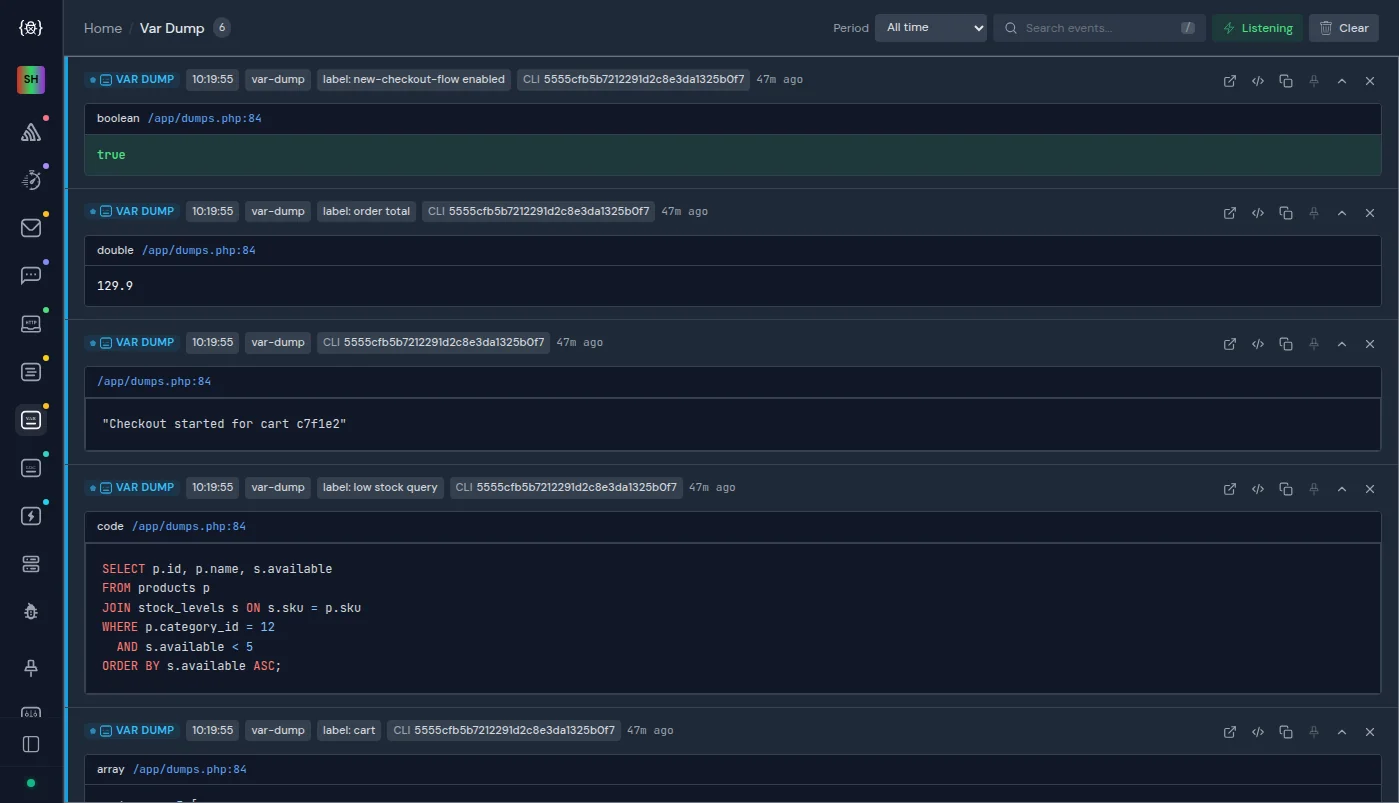
- Dumped value — full variable content with type information, rendered as an interactive expandable tree.
- Source location — file and line where
dump()was called. Clickable — opens in your IDE (see Open the source in your editor). - Variable name and label — custom labels if provided.
- Syntax highlighting — for text-only dumps (see below).
Open the source in your editor
The source location of a dump is a link. Since server v2.8.0, Buggregator picks the link in this order:
- Your Settings. You picked an editor in Settings → Editor Integration, or turned on Custom File Path Mapping with at least one mapping. Then Buggregator builds the link from these settings. Example: editor PhpStorm, mapping
/var/www/→/home/me/project/. A dump from/var/www/src/Foo.php:12opens/home/me/project/src/Foo.phpat line 12. When several mappings match, the longest one wins. - The link your app sends. Otherwise Buggregator uses the link from the dump as is, if it opens an editor. If your app's link template maps the path (see below), this works when the app runs in Docker.
- The default. Otherwise the link is built for VS Code (the Settings default) with the path as the app sees it.
Buggregator uses the app's link only when it starts with an editor scheme: phpstorm, idea, vscode, vscode-insiders, vscodium, cursor, windsurf, zed, subl, txmt, mvim, emacs, editor, atom, nova, fleet, netbeans. Other links are skipped. Example: with no editor set, Symfony sends file:///var/www/src/Foo.php#L12. That path is inside the container, so Buggregator skips it.
Set the link in your app
The app sends this link only when symfony/error-handler is installed. Symfony and Laravel apps have it; otherwise run composer require --dev symfony/error-handler.
Symfony VarDumper builds the link from the first of these that is set:
SYMFONY_IDEenv variable: an editor name (phpstorm,vscode,sublime,textmate,macvim,emacs,atom) or a link template.xdebug.file_link_formatinphp.ini: a link template.
In a Symfony app, framework.ide in the config takes the place of SYMFONY_IDE. In debug mode it reads SYMFONY_IDE by default.
A template uses %f for the file and %l for the line. To map a container path to your local one, add &<container path>><local path> at the end. Example for PhpStorm with the app in /var/www/:
SYMFONY_IDE="phpstorm://open?file=%f&line=%l&/var/www/>/home/me/project/"An editor name alone maps no paths. Use a template when the app runs in Docker.
The server needs no config for this. The Settings are kept in your browser, so each browser has its own.
Setup
Install the Symfony VarDumper component:
composer require --dev symfony/var-dumperSet two env variables to redirect output to Buggregator:
VAR_DUMPER_FORMAT=server
VAR_DUMPER_SERVER=127.0.0.1:9912
In Docker Compose, replace
127.0.0.1with the Buggregator service name (e.g.,VAR_DUMPER_SERVER=buggregator:9912).
That's it. Use dump() and dd() as usual — the output goes to Buggregator.
If your project doesn't use .env files, set via PHP:
$_SERVER['VAR_DUMPER_FORMAT'] = 'server';
$_SERVER['VAR_DUMPER_SERVER'] = '127.0.0.1:9912';
Performance tip
Large objects with deep nesting can slow down the browser. Limit the preview depth on the events list page:
docker run --pull always \
  -p 127.0.0.1:8000:8000 \
  -p 127.0.0.1:9912:9912 \
  -e VAR_DUMPER_PREVIEW_MAX_DEPTH=3 \
  ghcr.io/buggregator/server:latest
The full dump is still available when you open the event detail page.
Syntax highlighting
Dump a text string with syntax highlighting using Buggregator Trap:
$code = <<<PHP
<?php

declare(strict_types=1);

echo 'Hello, World!';
PHP;

trap($code)->context(language: 'php');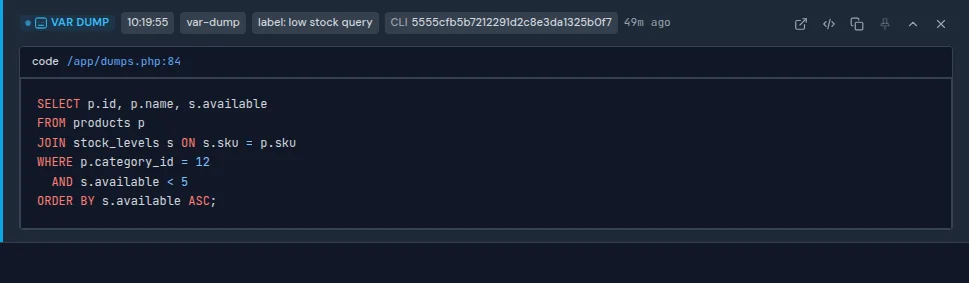
Buggregator Trap
Consider using Buggregator Trap instead of raw VarDumper — it uses VarDumper under the hood but adds extra features like trap(), tr(), and td() helpers.